Lucky Mister Casino App

Key Benefits of the Lucky Mister Casino App
The app and the mobile site serve identical content, so the difference shows up in how each behaves over weeks of use. Sessions survive a locked screen, bonus alerts arrive while the offer is still live, and the interface is already on the device instead of being downloaded each visit. Here is what the app adds over the browser version:
| Benefit | What it means in practice |
| Persistent session | No repeated Lucky Mister login after a call or a locked screen |
| Push notifications | Free spins and reloads reach you inside the seven-day window they run for |
| Faster loading | Interface and graphics stored locally, so only game data travels |
| Lower data use | Lighter than the mobile browser outside live dealer streams |
| Biometric unlock | Face ID or a fingerprint instead of typing a password |
| Full lobby | All Lucky Mister games, with nothing reserved for desktop |
How to Get Full Access to the Lucky Mister Casino App
Three steps stand between you and a first spin, and only the install differs between Android and iPhone. Once the icon is on your home screen, registration and sign-in work exactly as on the website.
How to Download the App
Google Play does not list real-money casino apps for UK players, so the Android build is installed from the casino’s own file. Android asks for one permission, which is granted once and takes seconds. Follow these steps to install the app:
- Open the official casino in Chrome on your phone.
- Tap the app banner on the home page and save the file.
- Allow Chrome to install apps when Android warns about unknown sources.
- Open the saved file from your downloads and confirm.
- Launch the app and sign in with your existing details.
On iPhone and iPad, the route is shorter. Open the site in Safari, tap Share, choose Add to Home Screen, and the casino runs full screen as a web app that updates itself.
How to Register
A new player can complete the whole Lucky Mister registration inside the app, and no separate mobile account is created. The form is the same one the site uses, split over two short screens. Here is how to open an account:
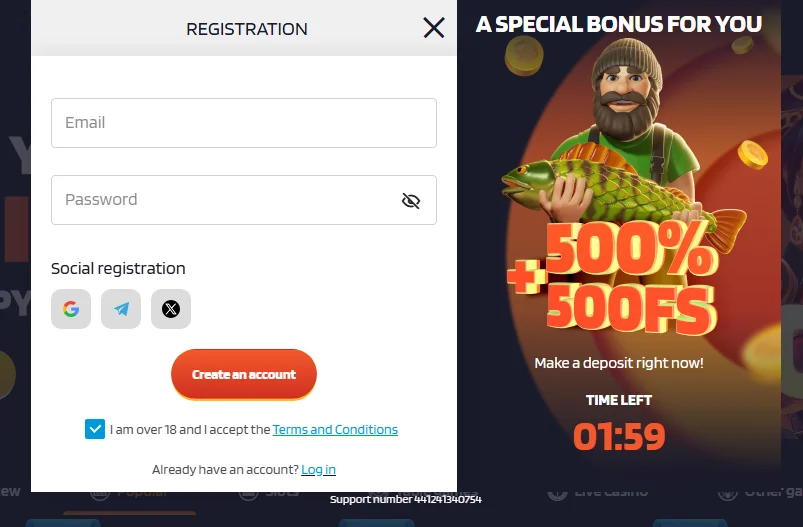
- Open the app and tap Sign Up.
- Choose the bonus you want attached to your first deposit.
- Enter your email address and create a password.
- Select your country and playing currency.
- Tick the boxes confirming you are over 18 and accept the terms.
- Tap Continue to reach the second screen.
- Add your name, phone number, postcode, and date of birth, then register.
How to Log in to Your Account
The app and the website share one account, so there is nothing extra to remember. Balance, bonus progress and saved payment methods appear exactly as you left them on desktop. Follow these steps to sign in:
- Open the app and tap Log In.
- Enter the email address you registered with.
- Enter your password.
- Tap Log In to confirm.
- Switch on Face ID or fingerprint unlock when the app offers it.
If the password has gone, tap Forgot password and the reset link arrives by email. The new one works on the app and the site straight away.
Minimum Device Requirements for the Lucky Mister App
The build is light by design, and any phone from the last five or six years handles it without complaint. Storage is the figure worth watching, because cached game files grow over months of play. These are the minimum requirements:
- Android 7.0 or newer, or iOS 13 or newer.
- Around 25 MB free for the install, plus space for cached games.
- 2 GB of RAM for smooth slot animation.
- A stable connection, with Wi-Fi preferred for live dealer tables.
- An up-to-date Chrome on Android or Safari on iOS for the download itself.
Bonuses Available in the Lucky Mister App
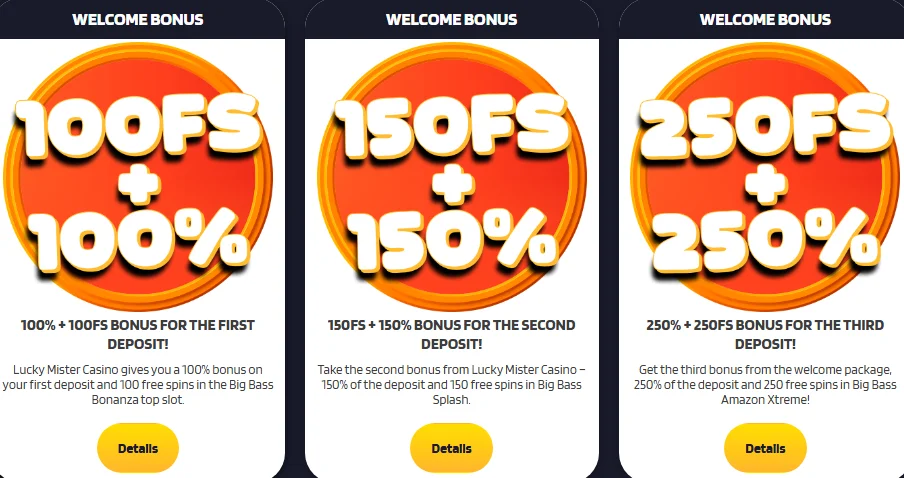
Every offer is claimable in the app, because bonuses attach to the account rather than the device. The Lucky Mister welcome offer lands on your first deposit and the rest run on a rolling basis. Here is what is available and on what terms:
| Bonus | Value | Wagering | Minimum deposit |
| Welcome offer | 100% plus 100 free spins on the first deposit | 25x | £20 |
| No deposit bonus | €10 to €25 in bonus funds | 30x | none |
| Free spins | 20 to 50 spins on featured slots | 40x | £20 |
| Live casino bonus | 50% to 100% of the deposit | 35x | £20 |
| Reload bonus | 50% to 100% of the deposit | 30x | £20 |
| Sports bonus | Up to €100 to €200 | 10x | £20 |
Bonuses expire seven days after activation, and the maximum withdrawable from a bonus is capped, so it is worth clearing the wagering rather than letting an offer run out.
Lucky Mister Payments in the App
The cashier in the app is the full desktop one, with no mobile-only restrictions. A saved method carries over from the website, which turns a deposit into two taps instead of re-entering card details. These are the withdrawal terms by method:
| Method | Limits | Fee | Processing time |
| Visa and Mastercard | from $10 to $5,000 | none | 1–24 hours |
| Skrill and Neteller | from $10 to $5,000 | none | up to 12 hours |
| Bank transfer | from $50 to $10,000 | may vary by bank | 12–24 hours |
| Crypto (BTC, ETH, USDT) | from $20 to $100,000 | network fee only | 10 minutes to 1 hour |
| Jeton and ecoPayz | from $10 to $5,000 | none | up to 12 hours |
Player Reviews about the Lucky Mister App
Players who moved from the mobile browser to the app mention the same two things, namely a session that holds and alerts that arrive in time to be used. The comments below were left over the past few months.
Harry, Leeds
“I switched because the browser logged me out constantly. The app has held the session since I installed it, and the free-spin alerts land early enough that I actually use them inside the seven days.”
Ciara, Belfast
“Crypto withdrawals land in under an hour, and I start them from the app now rather than waiting to get home. The cashier is the same one, just easier to reach.”
Tomas, Riga
“Live tables look better on the phone than in the browser because the chat panel no longer covers the cards. On mobile data, I stay on slots, which barely use anything.”
How do I download the Lucky Mister app?
On Android, you open the site in Chrome, tap the app banner, allow installation from unknown sources, and open the saved file. On iPhone and iPad, you open the site in Safari and choose Add to Home Screen, which needs no permissions at all.
Do bonuses differ between the app and the website?
No, every Lucky Mister bonus is identical in both places, because offers are tied to your account rather than the device. You can trigger an offer on a laptop and finish the wagering on your phone within the same seven-day window.
Is there an official app on Google Play or the App Store?
No, and that is store policy rather than a shortcoming of the casino, since both Google and Apple restrict real-money gambling apps for UK users. Any listing claiming to be the official Lucky Mister app in either store is not genuine.
Will the app work on a tablet?
Yes, it runs on Android tablets and on iPad, and the layout adapts to the larger screen instead of stretching. Live dealer tables gain the most, because the side bets and the stream fit side by side.
Are all payment methods available in the app?
Yes, Lucky Mister payments are the same set as on desktop, covering cards, Skrill, Neteller, Jeton, ecoPayz, bank transfer, and the main cryptocurrencies. Limits and processing times do not change between the app and the website.